Writing survey questions looks simple until you're staring at a blank document trying to phrase "are you happy with our service?" in a way that doesn't read like a legal disclaimer.
ChatGPT handles survey question writing well. The problem isn't that people don't know it can help — it's that most people don't know what to ask it. A specific prompt produces questions you can publish; a vague prompt produces questions you'll spend an hour editing. These 27 ChatGPT survey prompts cover NPS, CSAT, employee engagement, lead capture, market research, and question editing — each scoped to a specific scenario.
How to Use These ChatGPT Survey Prompts
Two ways to use every prompt on this list.
Option 1: Paste into ChatGPT, copy the questions, build the form manually. This works — it's also three steps before you have a form anyone can fill in.
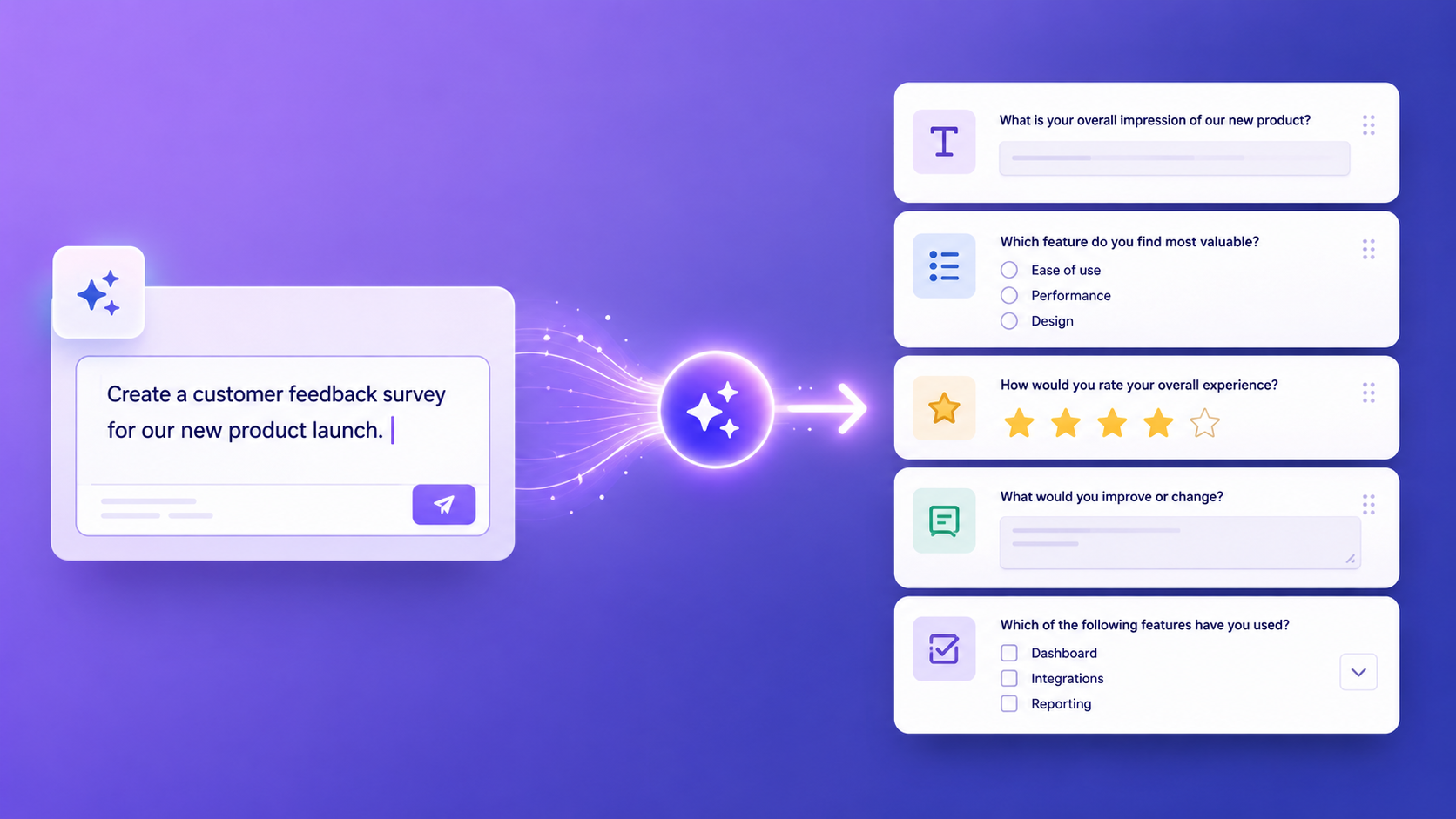
Option 2: Paste directly into Promptly Forms. The AI form builder accepts the same prompts and generates a complete form — fields configured, conditional logic wired, validation applied — in under 10 seconds.
Option 1 is fine if you have an existing workflow. Option 2 skips the building step.
ChatGPT Survey Prompts for NPS Surveys
Context and conditional logic separate useful NPS data from noise. These five ChatGPT survey prompts cover the most common scenarios.
Prompt 1 — Basic NPS
Generate an NPS survey for a SaaS product.
Ask users to rate from 0-10, include an open
follow-up asking why they gave that score,
and add a field asking which feature they use most.
What it produces: A three-question NPS survey — 0–10 scale with anchor labels, an open-text follow-up for reasoning, and a feature usage field. Clean enough for in-app delivery without feeling like homework.
Best used for: Post-onboarding or quarterly NPS rounds where response rate matters.
Prompt 2 — NPS with segmentation
Create an NPS survey for an e-commerce brand.
Ask the standard 0-10 question, then ask
whether they're a first-time or returning customer,
and what they purchased. Show a different
follow-up based on whether score is above or below 7.
What it produces: A conditional-branch NPS survey with separate follow-ups based on score threshold — ChatGPT describes the logic correctly; Promptly Forms wires it automatically.
Best used for: E-commerce brands segmenting feedback by customer type and satisfaction level.
Prompt 3 — Post-onboarding NPS
Write an NPS survey for new SaaS customers
who just completed onboarding. Ask how likely
they are to recommend (0-10), what was the
hardest part of getting started, and what
one thing would have made onboarding easier.
What it produces: Three questions specific to the onboarding experience — likelihood to recommend, friction points, and improvement suggestions. Output is phrased for new users, not generic customers.
Best used for: Sending 7–14 days after a user completes their initial onboarding flow.
Prompt 4 — NPS for service business
Create an NPS survey for a consulting firm.
Ask clients to rate the engagement (0-10),
what went well, what could be improved,
and whether they would use the service again.
What it produces: Four questions covering overall satisfaction, qualitative feedback in both directions, and a re-engagement signal. The yes/no on future use gives you retention data alongside the NPS score.
Best used for: Sending at the close of a project, not mid-stream.
Prompt 5 — Detractor follow-up
Write follow-up questions specifically for
NPS detractors (scores 0-6). Ask what
specifically disappointed them, what they
expected vs what they got, and what would
change their rating.
What it produces: Three targeted questions — specific disappointment, expectation gap, and a path to recovery. Works best as a conditional branch appended to an existing NPS survey.
Best used for: Any NPS survey where understanding detractors is the primary goal.
ChatGPT Survey Prompts for Customer Satisfaction Surveys
Customer satisfaction surveys fail when they're too long or asking the wrong questions for the context. These five prompts are scoped to specific scenarios so the output is relevant rather than generic.
Prompt 6 — Post-purchase CSAT
Generate a post-purchase satisfaction survey
for an online store. Ask about delivery speed,
product quality, packaging, and overall
satisfaction (1-5 stars each). Add an optional
open comment field.
What it produces: Five fields — four 1–5 star scales across the stated dimensions, plus an optional open-text comment. The optional designation applies correctly without manual configuration.
Best used for: Email delivery two to three days after order receipt.
Prompt 7 — Support ticket CSAT
Create a customer support satisfaction survey.
Ask how quickly the issue was resolved (scale),
whether the agent was helpful (scale),
if the issue is fully resolved (yes/no),
and an optional comments field.
What it produces: Four questions — two scales, one yes/no resolution confirmation, one optional open-text. The resolution question is the most useful data point for support teams and generates correctly from this prompt.
Best used for: Sending immediately after a support ticket is closed.
Prompt 8 — Restaurant / hospitality
Write a feedback form for a restaurant.
Ask about food quality, service, atmosphere,
and value for money using a 1-5 star scale.
Include an emoji-style overall rating and
an optional photo upload.
What it produces: Four rated dimensions, an overall emoji reaction scale, and an optional upload field. Promptly Forms' display modes render the emoji rating without additional configuration.
Best used for: QR code forms on restaurant tables or included in digital receipts.
Prompt 9 — SaaS product feedback
Create a product feedback survey for a B2B
SaaS tool. Ask which features they use most,
what's missing, how often they use the product,
and their overall satisfaction rating.
What it produces: Four questions — a multi-select for feature usage (generated as checkboxes, correct for "select all that apply"), an open-text field for gaps, a frequency dropdown, and a satisfaction scale.
Best used for: Quarterly feedback rounds or triggered after 30 days of active usage.
Prompt 10 — Event feedback
Generate a post-event feedback survey.
Ask about overall experience, speaker quality,
venue, networking value, and whether they'd
attend again. Include a field for suggestions
for next year.
What it produces: Six questions — five rating scales across the stated dimensions and a final open-text suggestions field. Specify whether you want "would you attend again" as yes/no or a scale; the prompt can produce either.
Best used for: Sending within 24 hours of an event. Customer feedback templates cover this format if you want a pre-built version.
ChatGPT Survey Prompts for Employee Engagement
Employee surveys need phrasing that feels safe to answer honestly — particularly on manager relationships or intent to leave. These prompts reflect that.
Prompt 11 — Quarterly engagement pulse
Write a quarterly employee engagement survey.
Ask about job satisfaction, relationship with
manager, clarity of role, sense of belonging,
and likelihood to recommend the company
as a place to work (0-10).
What it produces: Five questions covering each dimension listed, with the final question phrased as an eNPS question. Appropriate length for a short pulse survey — no question feels redundant.
Best used for: Quarterly all-company check-ins where brevity matters more than depth.
Prompt 12 — Remote work check-in
Create a remote work survey for a distributed team.
Ask about work-life balance, communication quality,
tool effectiveness, feelings of isolation,
and what support would help most.
What it produces: Five questions — four scales and an open-text field for the support question. The isolation question is phrased to surface a real topic without implying it's inevitable for everyone.
Best used for: Distributed or hybrid teams, particularly during transitions in remote work policy.
Prompt 13 — Post-training assessment
Generate a training effectiveness survey.
Ask whether the training met its objectives,
how confident they feel applying what they learned,
what was most useful, and what could be improved.
What it produces: Four questions — two scales and two open-text fields. The confidence question is the most actionable L&D signal and generates correctly rather than defaulting to a generic satisfaction proxy. HR and recruitment templates cover related assessment formats.
Best used for: Sending within 48 hours of any internal training session.
Prompt 14 — Manager effectiveness
Write an upward feedback survey for employees
to rate their manager. Ask about communication
clarity, approachability, feedback quality,
support for growth, and overall effectiveness.
Keep it anonymous.
What it produces: Five questions phrased constructively. The "keep it anonymous" note shapes phrasing — questions come out as "my manager communicates clearly" on a scale, not a direct yes/no that feels confrontational.
Best used for: Annual or semi-annual upward feedback cycles, not ad hoc check-ins.
Prompt 15 — Exit interview
Create an exit interview survey. Ask why
they're leaving, what they liked most about
the role, what could have kept them, how they
rate their manager, and whether they'd
consider returning.
What it produces: Five questions — open-text for reasons leaving and retention factors, a 1–5 scale for manager rating, and a yes/no on potential return. The "what could have kept them" question consistently generates as open-text, which is correct.
Best used for: Sending to departing employees alongside or instead of a live exit conversation.
ChatGPT Survey Prompts for Lead Generation Forms
Lead generation forms prioritise qualification over feedback — these five prompts generate forms that score and route leads, not just collect contact details.
Prompt 16 — B2B lead capture
Generate a B2B lead capture form for a
software company. Ask for company name,
business email, job title, company size
(dropdown), current tools used, and biggest
challenge. Score the lead based on company size.
What it produces: Six fields — text, email, text, size-band dropdown, multi-select for current tools, and open-text for challenge. The lead scoring instruction generates as a routing note to implement as a conditional branch.
Best used for: Inbound pages where qualification matters more than volume.
Prompt 17 — Consultation request
Create a consultation request form for a
marketing agency. Ask what services they need
(checkboxes), their monthly budget (dropdown),
timeline, website URL, and preferred contact method.
What it produces: Five fields — service checkboxes with sensible defaults (SEO, paid ads, content, social, email), two dropdowns for budget and contact preference, a timeline field, and a URL-validated website field.
Best used for: Agency websites where the intake form doubles as a qualification step.
Prompt 18 — Webinar registration
Write a webinar registration form. Ask for
name, business email, company, job role,
and one question they want answered in the session.
What it produces: Five fields — name, validated email, company, job role dropdown, and an open-text field for their question. The final field is the most underused element in webinar registration and generates cleanly from this prompt.
Best used for: Any live or recorded webinar where audience questions should inform the content.
Prompt 19 — Lead qualification
Create a lead scoring form for a SaaS product.
Ask about company size, current solution,
biggest pain point, budget range, and whether
they're evaluating alternatives now.
Flag hot leads automatically.
What it produces: Five qualification fields — company size dropdown, current solution text, pain point open-text, budget dropdown with ranges, and a yes/no on active evaluation. Set a conditional branch to route "yes, evaluating now" responses to a priority queue.
Best used for: Bottom-of-funnel content offers or product demo pages.
Prompt 20 — Demo request
Generate a product demo request form.
Ask for name, email, company, team size,
what they're trying to solve, and preferred
demo time slot. Route enterprise leads to a sales rep.
What it produces: Six fields — name, email, company, team size dropdown, open-text for problem statement, and a time slot selector. The enterprise routing instruction generates as a conditional logic note to apply in your form tool.
Best used for: Product and pricing pages where purchase intent is already high.
ChatGPT Survey Prompts for Market Research
These four prompts generate surveys for understanding markets rather than measuring satisfaction.
Prompt 21 — Brand awareness
Write a brand awareness survey for a
consumer product. Ask whether they've heard
of the brand, where they encountered it,
what words they associate with it, and
likelihood to purchase.
What it produces: Four questions — yes/no on brand recognition, multi-select on discovery channels (defaults: social, word of mouth, search, advertising, in-store), an open-text word association field, and a 1–5 purchase likelihood scale.
Best used for: Pre-launch or post-campaign brand tracking studies.
Prompt 22 — Product concept test
Create a concept testing survey for a new
product feature. Describe the feature in
2 sentences, then ask how useful it would be
(1-5), how often they'd use it, what they'd
pay for it, and what's missing.
What it produces: Four questions following a feature description block — usefulness scale, frequency dropdown, pricing field, and open-text for gaps. The AI generates placeholder feature copy you replace with your actual description.
Best used for: Early-stage feature validation before committing engineering time.
Prompt 23 — Competitor analysis
Generate a survey to understand competitor usage.
Ask which tools they currently use for [category],
what they like most about their current solution,
what frustrates them, and what would make them switch.
What it produces: Four questions — multi-select for current tools, two open-text fields for satisfaction and frustration, and an open-text switching question. Replace [category] with your actual market category before using.
Best used for: Customer discovery or positioning research before entering a competitive market.
Prompt 24 — Pricing sensitivity
Write a pricing sensitivity survey for a SaaS product.
Ask what they currently pay for similar tools,
what price would be too expensive, what price would
seem too cheap to be credible, and what price
they'd consider fair.
What it produces: Four questions built around the Van Westendorp pricing model — current spend, ceiling, floor, and acceptable price. ChatGPT generates the four questions correctly without naming the framework.
Best used for: Pre-launch pricing research or when evaluating a plan restructure.
3 Prompts for Improving Existing Survey Questions
These prompts improve existing questions rather than generating from scratch — paste in what you have and the AI rewrites it.
Prompt 25 — Simplify questions
Here are my survey questions: [paste questions].
Rewrite each one to be clearer and shorter.
Remove jargon. Make them answerable in
under 10 seconds each.
What it produces: A rewritten version of every question you paste — shorter, plain-language, and tighter. The "under 10 seconds" constraint forces the AI to cut anything requiring respondents to pause and think.
Best used for: Any survey with low completion rates or questions that have generated confused responses.
Prompt 26 — Reduce bias
Review these survey questions for leading
or biased language: [paste questions].
Rewrite any that might push respondents
toward a particular answer.
What it produces: A flagged list of biased questions with rewrites. ChatGPT reliably spots loaded language, double-barrelled questions, and implied answers — the kind of phrasing that passes internal review but skews your data.
Best used for: Market research and employee surveys where data accuracy matters more than reading ease.
Prompt 27 — Add conditional logic
Here is my survey: [paste questions].
Suggest conditional logic rules — which questions
should be shown or hidden based on previous answers.
Format as: IF [answer] THEN show/hide [question].
What it produces: A structured list of IF/THEN rules mapped to your survey. Paste the same description into the Promptly Forms AI builder and it configures the conditional logic automatically.
Best used for: Long surveys where showing irrelevant questions kills completion rates.
The Faster Alternative: Skip the Copy-Paste
Every prompt here works with ChatGPT. You get well-structured questions, sensible field suggestions, and sometimes a conditional logic map. What you don't get is a form — the output is text you still need to enter into a builder, configure field by field, and publish manually.
Paste the same prompt into the Promptly Forms AI form builder and it generates a complete form in under 10 seconds — field types selected, conditional logic wired, validation applied. No copy-paste step.
The templates library covers common survey structures if you'd rather start from a pre-built form. For a full walkthrough of how AI generation works, the guide to creating forms with AI covers prompt patterns in detail.
Free plan: 100 responses per month, 3 AI form generations, no credit card required. No account needed to try the generator on the homepage.